A few years ago, for most people artificial intelligence (AI) was something “over there, behind the wall” — in big companies, labs, the news. Then ChatGPT arrived. And suddenly you could open AI in a browser, type a question and get an answer.
This is level 1 — how people started using AI day to day: from inside companies to ChatGPT and similar tools in the browser. In plain words I’ll explain what artificial intelligence is, what changed after ChatGPT, and how usage grew in recent years. No deep jargon about models. If a term does show up, I’ll explain it right away.
Later we’ll go further — into apps and agents that let you run more of the work through AI. This time we stay with the basics: how AI reached you.
What is artificial intelligence?
Artificial intelligence is when a program can do things that once felt “human”: understand text, find meaning in data, suggest the next step or draft a message.
Imagine you learn to recognise dogs in photos. You look at many examples and over time you know what a dog is. Machine learning (ML) is a similar idea for a computer: you give it many examples, and it learns to spot patterns. AI is the broader word; ML is one way to “teach” it.
Important: AI is not magic, and it is not the same as automation. Automation is often clear rules — “if A, then B”. AI helps when rules are not enough: when you need to understand context, choose between options, or find what matters in a long document.
A simple rule of thumb: if the work is with text, search, or “look and tell me”, AI can often help. If the work repeats the same way under clear rules, start with automation — and add AI when you really need it.
For a long time it lived only in companies and labs
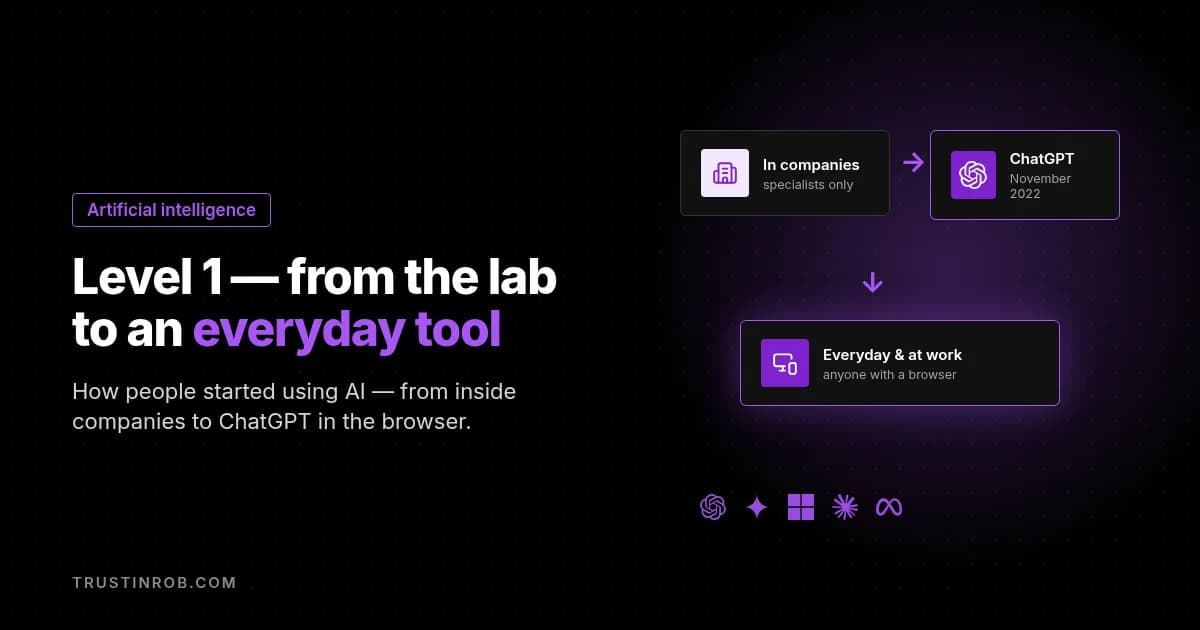
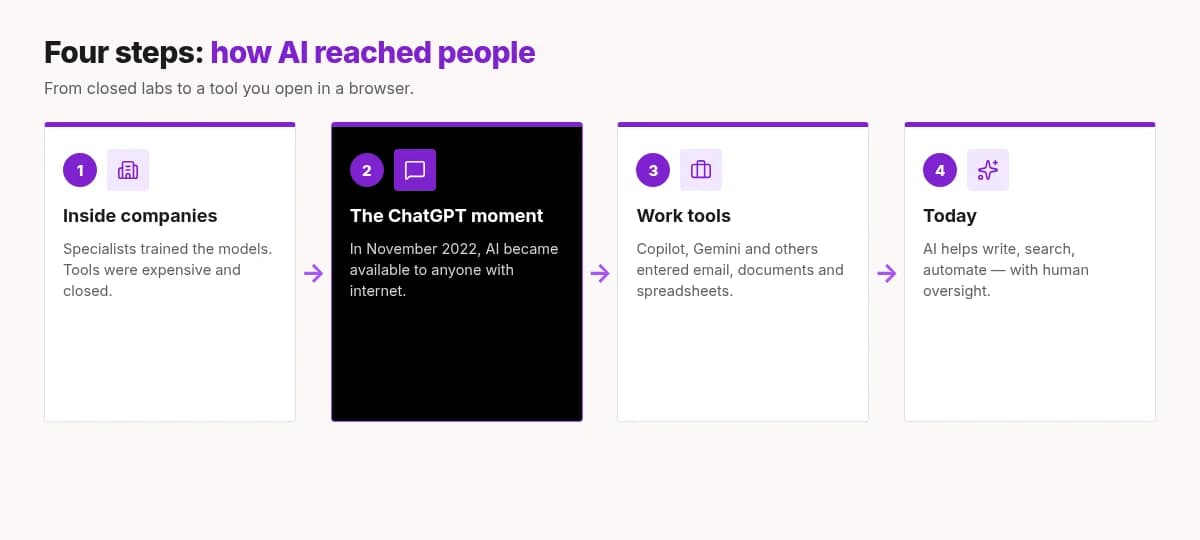
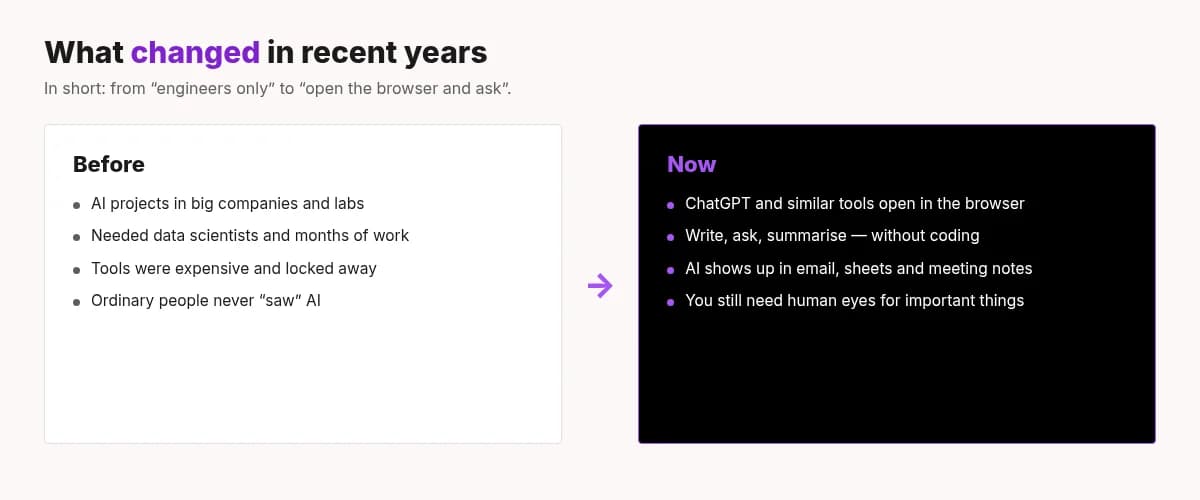
For years AI lived “behind closed doors”. Big companies and research teams trained models on huge computers. That needed specialists, expensive servers and months of work. Ordinary people never saw those tools — they only saw the result, like better film recommendations or sharper search.
Machine learning already worked then: banks scored risk, shops forecast demand, factories spotted defects in images. But it all happened inside systems. There was no “open and ask” button.
So for many people AI felt distant — like an aeroplane cockpit. You know it exists, but you are not holding the controls.
The world turned: ChatGPT and tools for everyone
In November 2022 OpenAI launched ChatGPT. The idea was simple: open a site, type a question in plain language, get an answer. No install, no coding course, no “please give me server access”.
It was not the first AI in the world. But it was the first moment when millions of people could try for themselves how AI works with simple prompts. Draft an email. Explain a hard topic simply. Invent ideas. Translate. Summarise a long document.
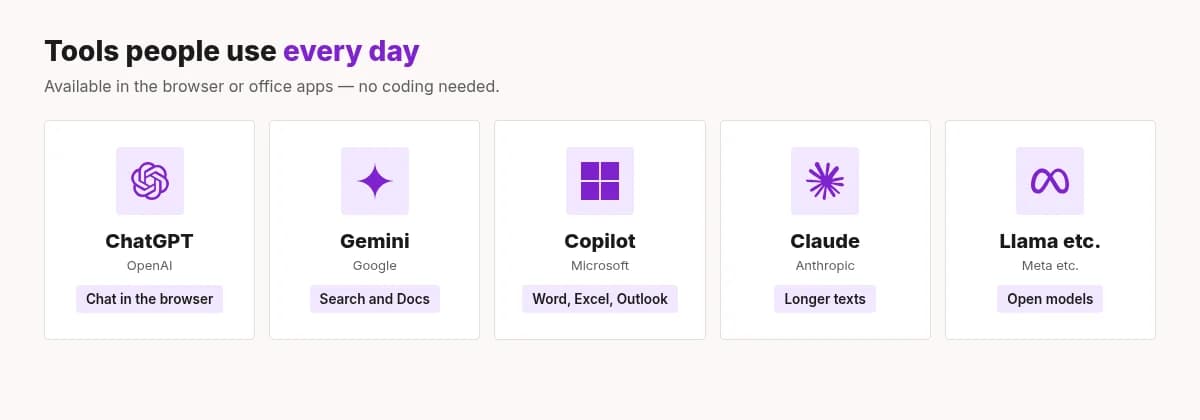
Soon other tools with a similar idea appeared: Google Gemini, Microsoft Copilot (Word, Excel, Outlook), Anthropic Claude and more. Some live in the browser. Some sit right in your office apps. The shared point: AI was no longer only an “internal system”. It became an everyday tool available worldwide to millions of users.
One important nuance: these tools can be wrong. They can sound confident even when the facts are off. So the best practice is simple — AI prepares, a human checks. Especially if the text goes to a client, onto an invoice or into an official document.
How AI use grew in recent years
In recent years what changed was not only “what is possible”, but mainly who can use it and how easily.
1. From a “project” to a browser tab
AI used to be a separate project with a team. Now many people need only an account and a browser. That means you can try today, not in six months.
2. AI entered work apps
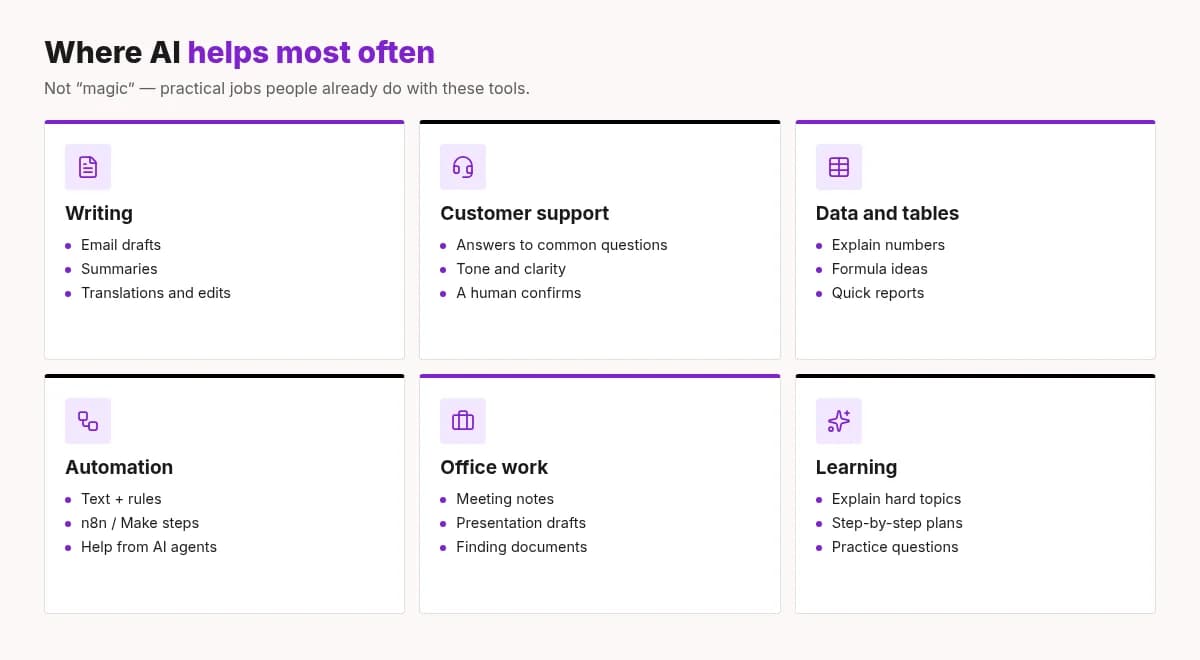
Writing, summaries, email drafts, meeting notes, formula ideas in sheets — all of that started showing up where people already work. You no longer need to “go to another site” to ask AI. Sometimes a button next to the document is enough.
3. From an answer to a work flow
At first people mostly asked and copied text. Now AI is more often one step in a longer chain: an email arrives → AI drafts a reply → you approve → automation sends or saves it. Here AI and automation work together: AI understands the text, automation runs the steps.
4. More attention to control
The easier AI is to use, the more important the boundaries. Personal data, client secrets, shaky facts — all of that needs common sense. A good habit: don’t send sensitive data to AI unless you must, and don’t forward an answer until you have checked it.
What this means for you and your business
In practice: you don’t have to “roll out AI everywhere” at once. Find places where it saves time without big risk.
- Email and message drafts — you fix tone and facts.
- Summaries of long texts — before a meeting or after a report.
- Ideas and options — you choose what fits.
- Help with tables — “which formula do I need?” or “explain these numbers”.
- Drafts for common client questions — with a human approval.
For a small business the gain is often bigger than for a large one, because one person does many different jobs. If AI takes 20–30 minutes a day off writing or searching, over a year that becomes about 12 full work days.
And no — you don’t have to become an engineer. You need to be someone who knows their work and can say when an answer “doesn’t sound right”.
Where to start? 4 simple steps
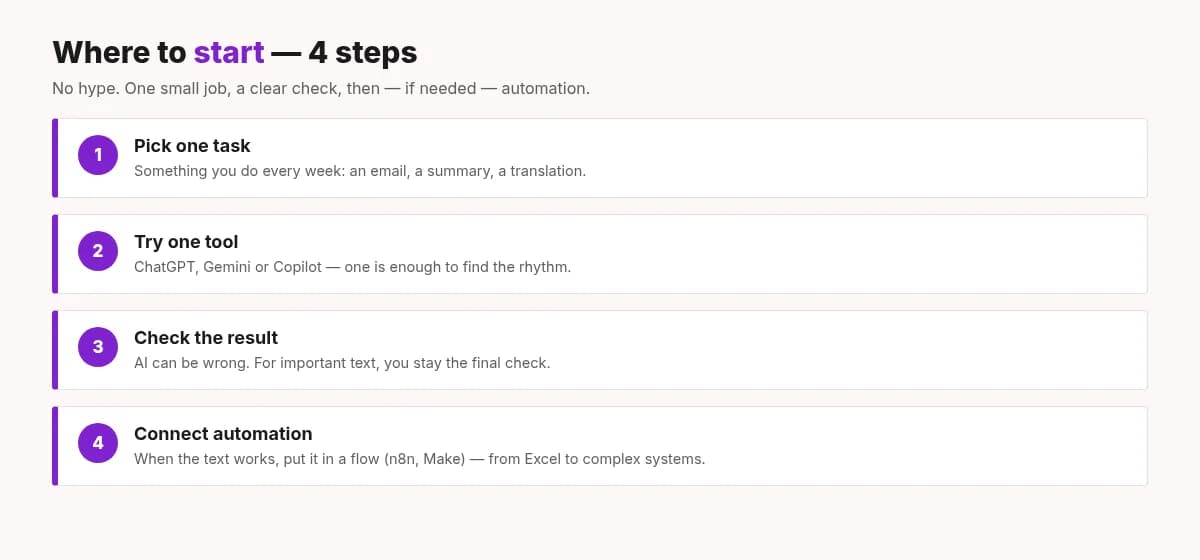
- Pick one task. Something you do every week: an email, a summary, a translation.
- Try one tool. ChatGPT, Gemini or Claude — one is enough to find the rhythm.
- Check the result. AI can be wrong. No matter how important it is — you are the last filter that says “yes”.
- Connect automation. When the text works, put it in a flow (n8n, Make and others) — from a simple Excel sheet to complex systems.
A small tip: start with work where a mistake is not expensive. For example, an internal summary. When the rhythm is clear, move on to things clients see.
Frequently asked questions
Do I need to know how to code?
No. Most everyday AI tools work with plain text. Coding helps if you want AI tightly tied into your own systems.
Will AI take my job?
More often it takes over single tasks — writing from scratch, searching, first drafts. People who learn to use AI usually gain more time for what matters.
Can I trust the answer?
Partly. AI is good for drafts and explanations, but facts need checking. Especially dates, numbers, laws and quotes.
What’s the difference between AI and automation?
Automation follows rules: “if X, then Y”. AI helps understand text and suggest. They are often used together: automation is the “hands”, AI is the “head”.
Closing
Artificial intelligence is no longer only a lab topic. It is a tool people already use — for writing, search, support and automation. The start is simple: one task, one tool, and your check at the end.
And if you’d like someone to help — here we are! TrustInRob helps from a simple Excel sheet that totals invoices by itself, to very complex systems where apps, n8n workflows and AI work together. Small task or big project — we like both.
You don’t need to know what it’s called or which model is “better”. Just tell us what you’re tired of doing by hand, or where text and data eat too much time. We’ll figure out the rest together — in plain language and without extra jargon.
This was level 1. Another time we’ll also talk about apps and agents that can run more of the work through AI — step by step.
Write to us via the contact form: trustinrob.com/en/contact — and let the tools work while you drink coffee.